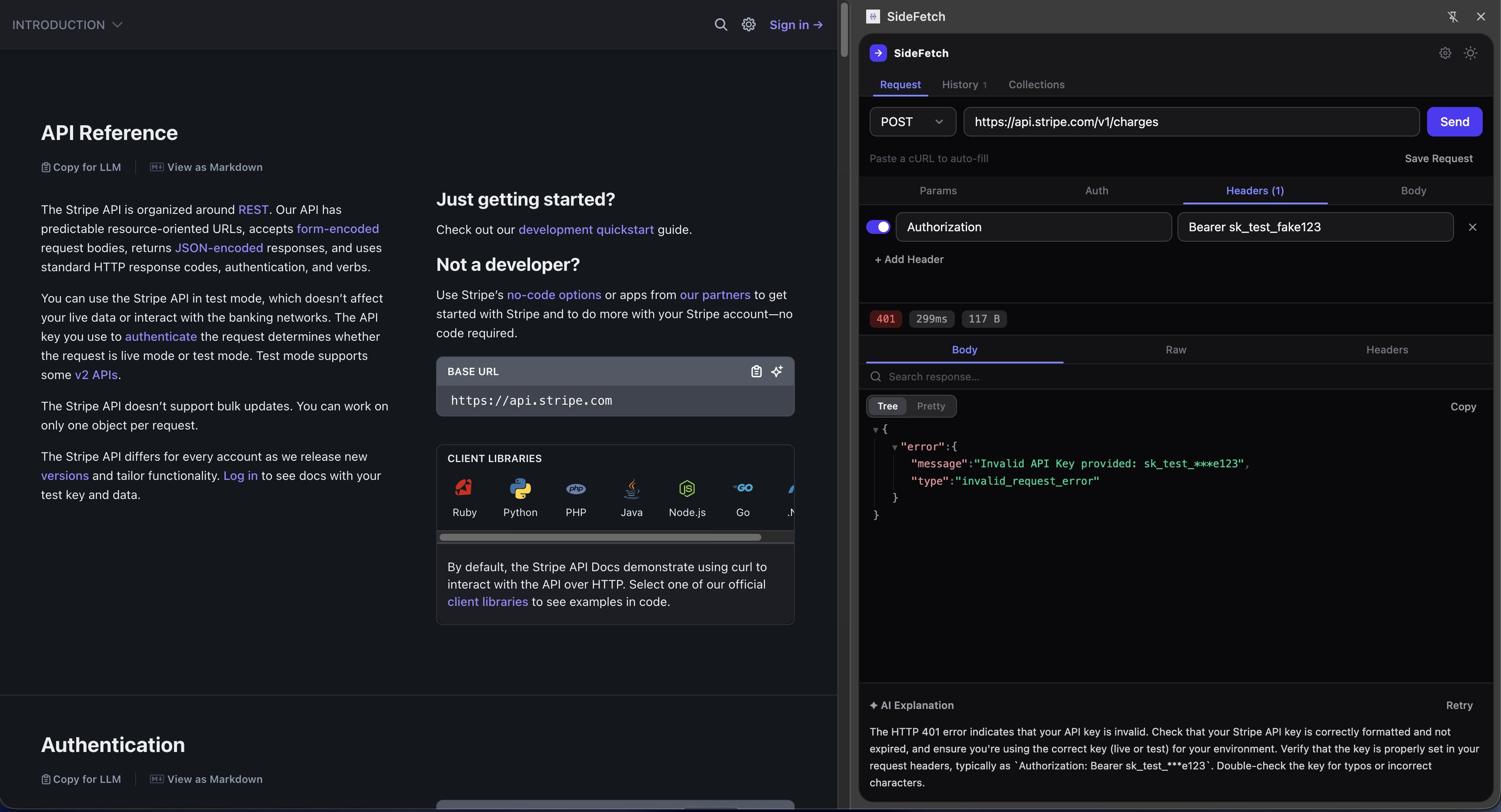
A REST API client that lives in Chrome's Side Panel. Send requests, paste cURL commands, and debug errors with AI — all without leaving your current tab.
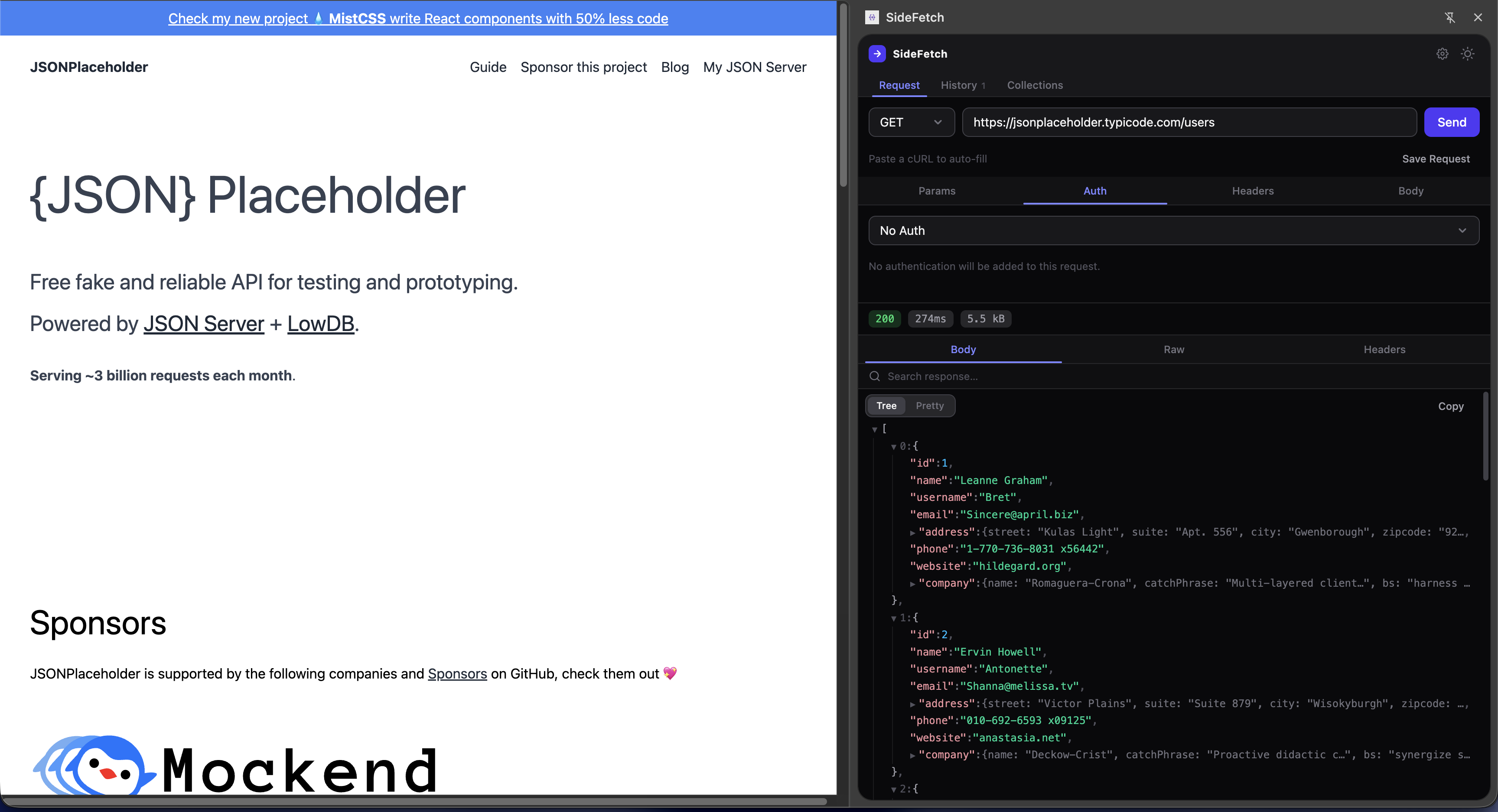
No tab switching. No heavy desktop apps. Just open the Side Panel and go.
SideFetch lives in Chrome's Side Panel — it stays open while you browse documentation, read Stack Overflow, or work in your app. No more switching between Postman and your browser.
Got a 401? 500? CORS error? Click "Explain" and get a plain-English explanation with actionable fixes. No more Googling cryptic error messages.
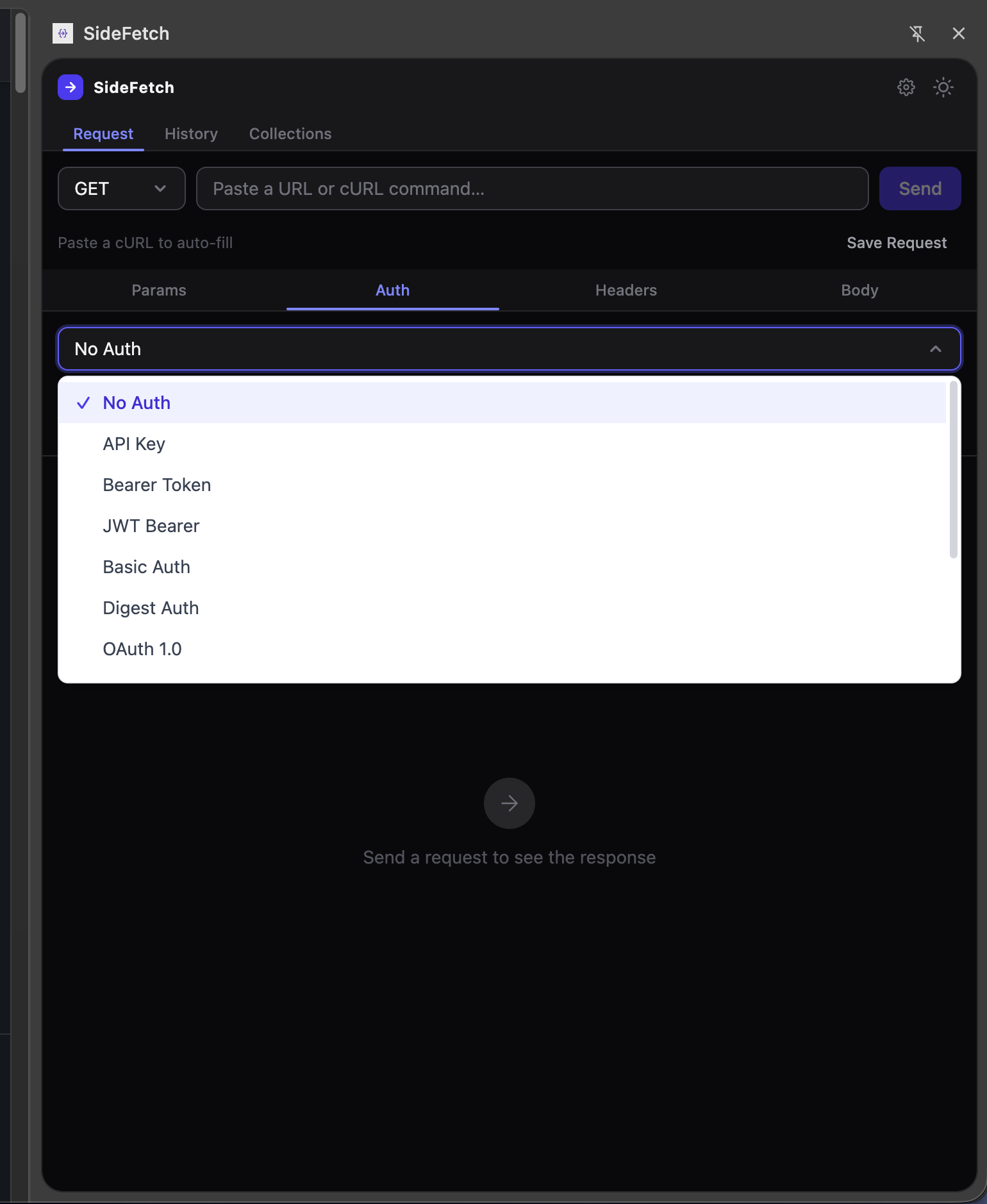
From simple Bearer tokens to AWS Signature V4 — authenticate against any API without manually constructing headers.
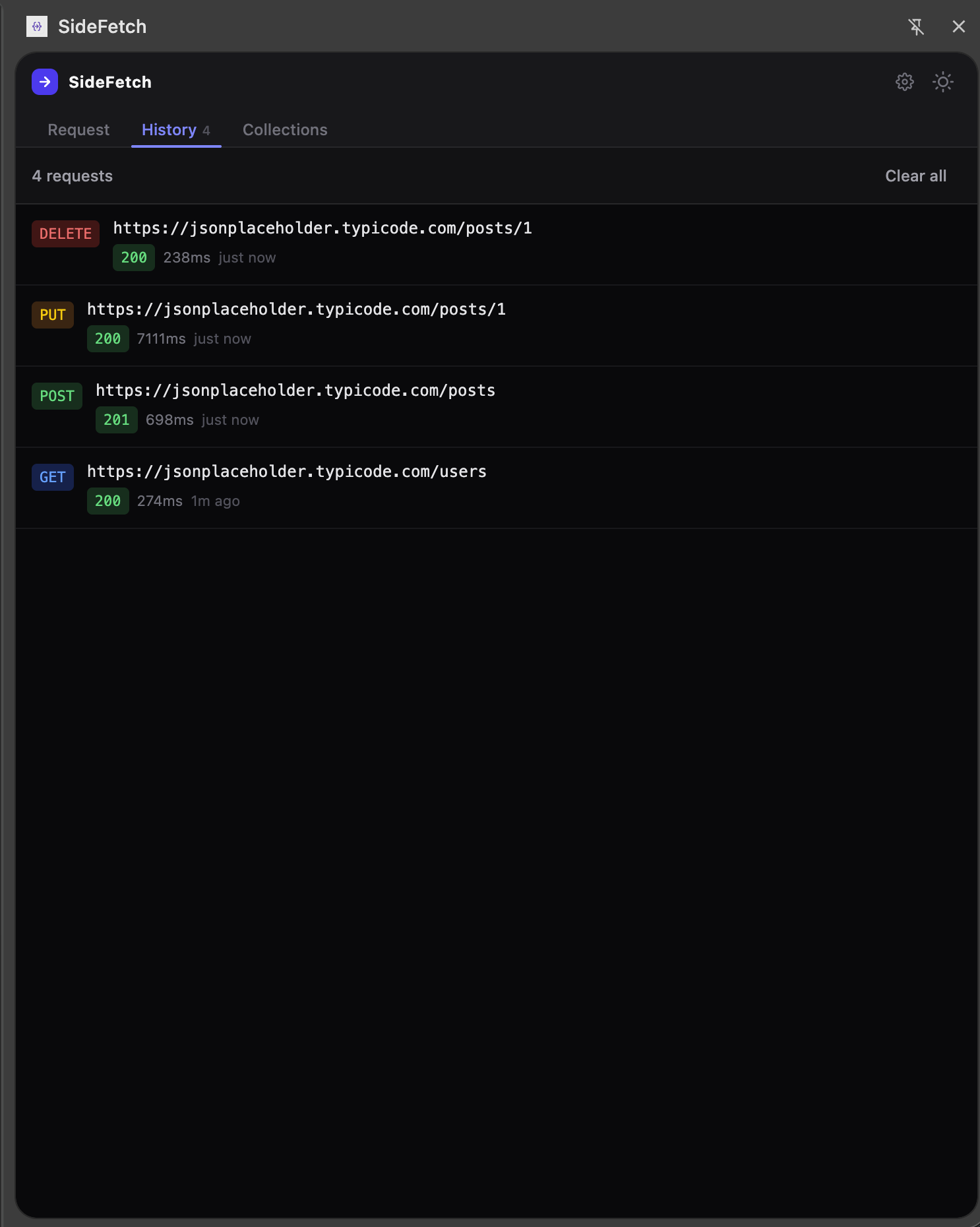
Every request is automatically saved to history. Organize your frequently used endpoints into collections for one-click access.
Paste any cURL command and it auto-fills the method, URL, headers, and body for you.
Switch between dark and light themes to match your preference or system settings.
Hit ⌘ + Enter to send. Built for speed.
JSON, form-data, text, or binary body. All HTTP methods and content types supported.
Free forever. Upgrade if you need more.
For individual developers
For power users
or $29/year (save 60%)
Get Prochrome.storage. The only external call is to Groq's API for AI error explanations — and that only sends the error context, not your full request.